From first idea to pulpit, and a record of every sermon
Exegeter keeps your notes, calendar and preaching history together, on your phone or your desk, even when the signal drops.
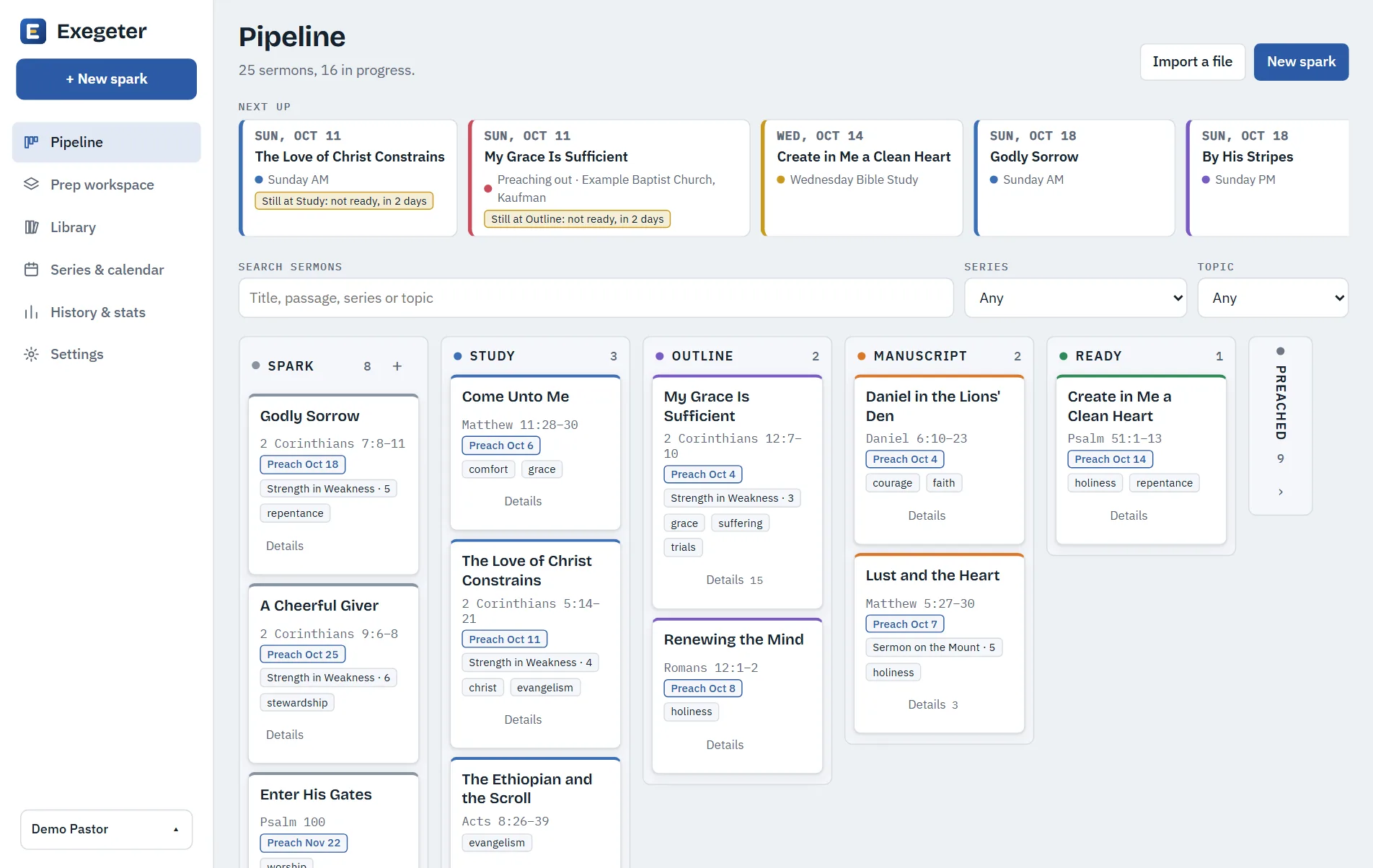
The way a sermon actually grows
Every sermon moves through the stages you already work through. Exegeter keeps track so nothing slips.
Spark
Catch the text or thought the moment it comes, even offline.
Study
Gather observations, cross references and open questions in one place.
Outline and manuscript
Shape the points, then write out what you will say.
Preach and remember
Take it into the pulpit. Afterwards it joins your history.
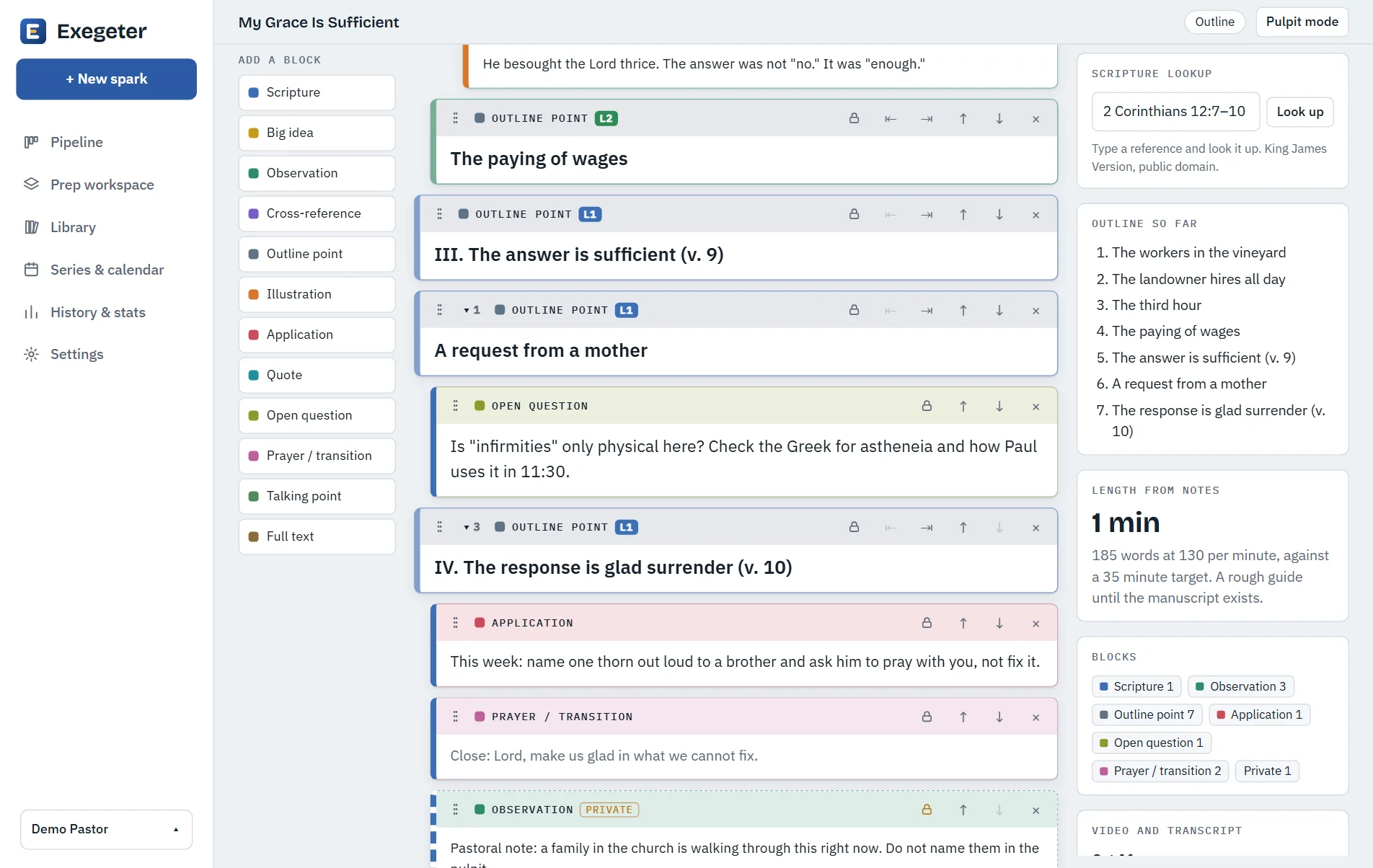
Notes built from the pieces of a sermon
Not one long document. Each piece is its own block, so you can move things around and see the shape of the message.
- Scripture, big idea, observations, illustrations, applications, quotes and prayers
- Group points into sections and sub-points, colour-coded, and fold away what you are not working on
- Bring in what you already have: Markdown, Word, PDF or pasted text
- Mark any block private, so it stays out of exports
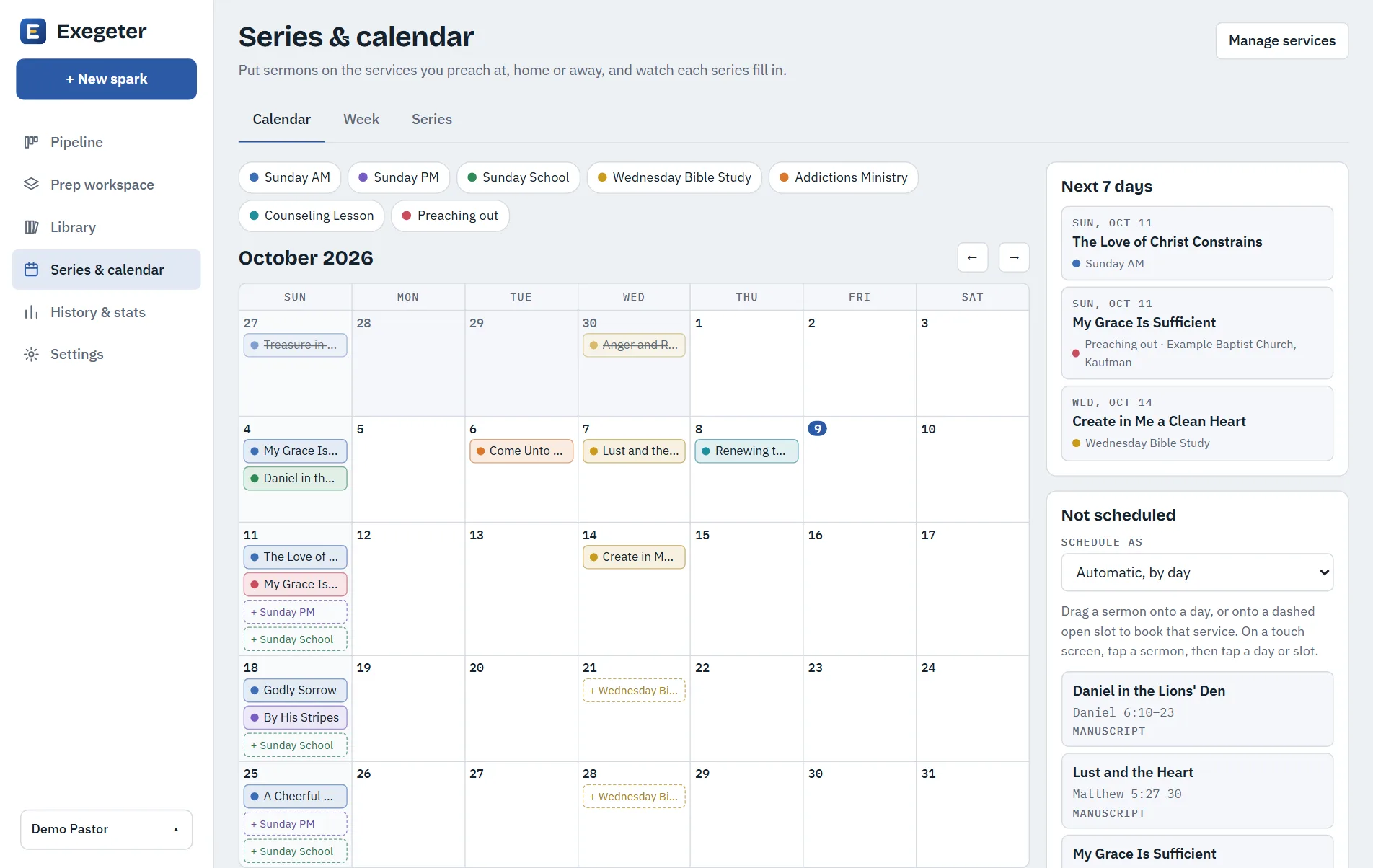
Know what is coming, and what is open
Put sermons on the services you preach, at home or away, and see which ones still need a sermon.
- Calendar, week view and series, with drag and drop or a tap on a phone
- Put the parts of a series in order by dragging them
- Preach a sermon again, or start a new version for another audience
- Find every sermon you have preached on a passage, and when
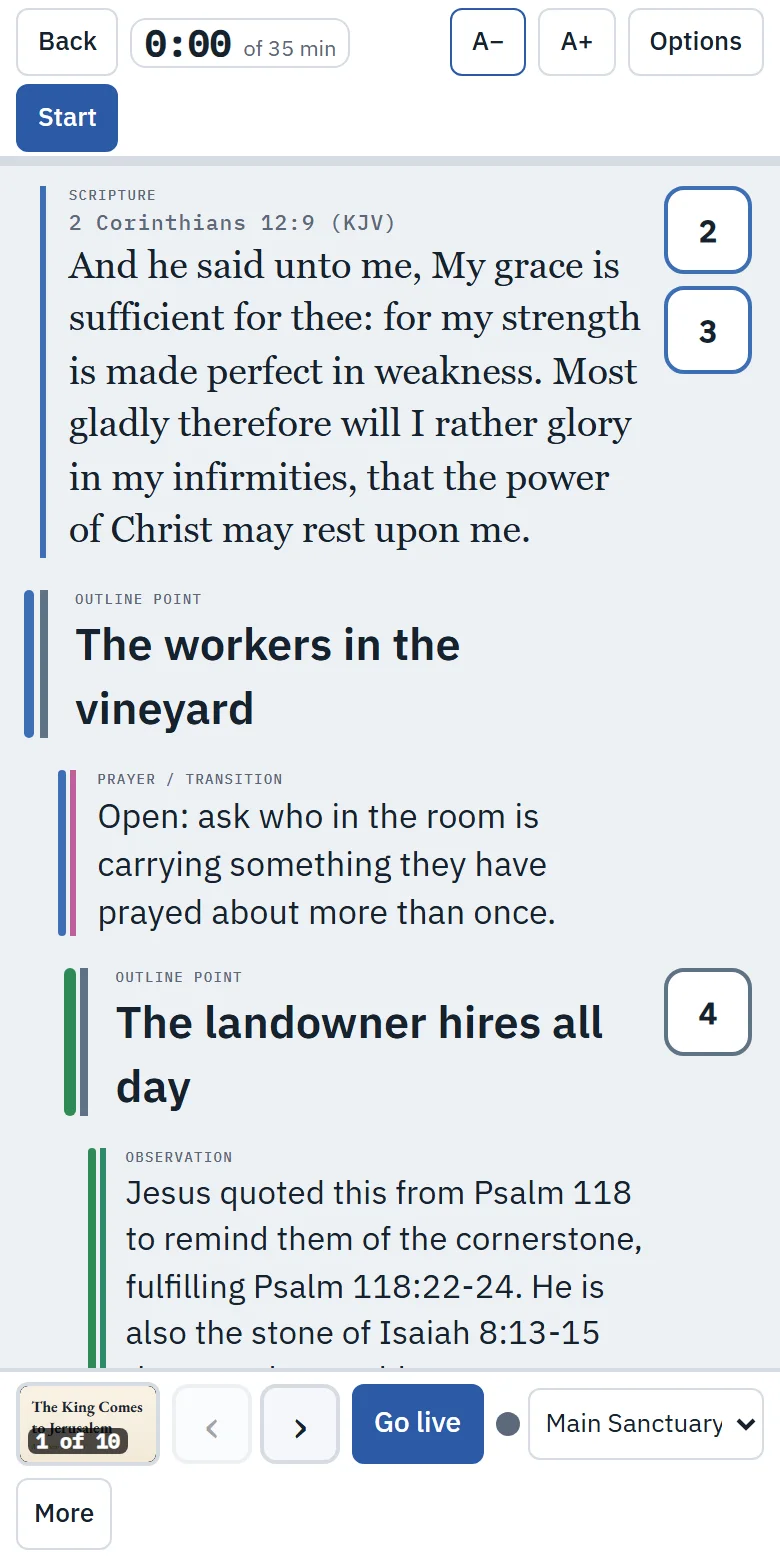
At the pulpit, on whatever you carry
Pulpit mode shows your notes in large, clean type, with a timer against your target length. Install Exegeter on your home screen like any other app.
- Keeps the screen awake and works with no connection
- Your outline levels stay visible, so you always know where you are
- Edits made offline sync when you are back online, and update your other devices
- See which devices are signed in, and sign out of all of them in one tap
Slides for the screen, from your own notes
Build a deck from your manuscript, with the Scripture set in the King James text. Show it on a second screen and move through it from pulpit mode.
Everything you need, nothing you do not
Scripture built in
Type a reference and drop the passage into your notes. The King James text is included and works offline.
Find by passage
Type a verse and see every sermon that covers it, and every date you preached it.
Repeat check
See when you last preached a passage or a similar idea, before you are halfway through writing it again.
Version history
Go back to an earlier draft of any sermon. Restoring one saves your current notes first.
Preaching history
Totals by month, the Bible books you have covered, and the themes you keep returning to.
Import and export
Bring in your Obsidian notes, Word files and commentary. Export to Markdown whenever you like.
Your notes are yours
Sermon notes are personal, and some of what a pastor writes down is private. Exegeter is built with that in mind.
Ready to prepare with less scramble?
Create an account, or sign in and pick up where your last sermon left off.